Free Cardboard Box Generator for Laser Cutters
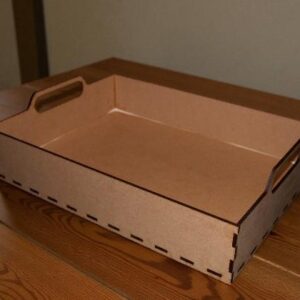
Free box templates for laser cutters. Make a regular, tuck-top, or flat two-piece box in any size, set your cardboard thickness, then download a ready-to-cut SVG or DXF. Flat boxes bigger than your cardboard are split across sheets for you.
How to use it
- Measure your cardboard thickness, then pick or enter it above.
- Enter the box size you want and check the preview.
- Download the SVG or DXF and import it into LightBurn, xTool Creative Space, or your laser software.
- Cut a test box first. Cardboard varies, so a small tweak to the thickness can make the fit perfect.
- Fold at the notches, glue the side flap to the last panel, then close the flaps.
- Cut every sheet. Butt the base pieces (the ones with a dashed B on a flap) together and tape the seams, then do the same with the lid pieces. Fold the base flaps up, wrap the corner tabs if you used them, and tape the corners. Add your sign and padding, then slide the lid down over the base.
- Fold at the notches and glue the side flap to the first panel. To close, fold the dust flaps in, then tuck the lid so the locking tab pops through its slot.
Looking for more projects? Browse our free laser cutting files.
Top Designs
Cutting Paths is more than boxes. Browse the most-liked laser cutting files from our community of makers, or grab something from our free laser cutting files.