

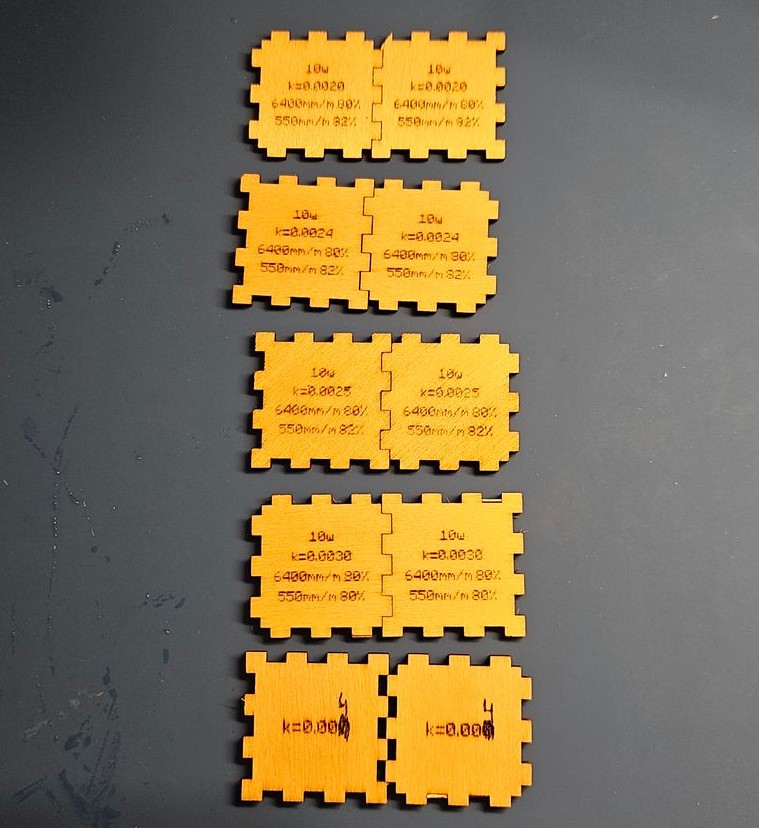
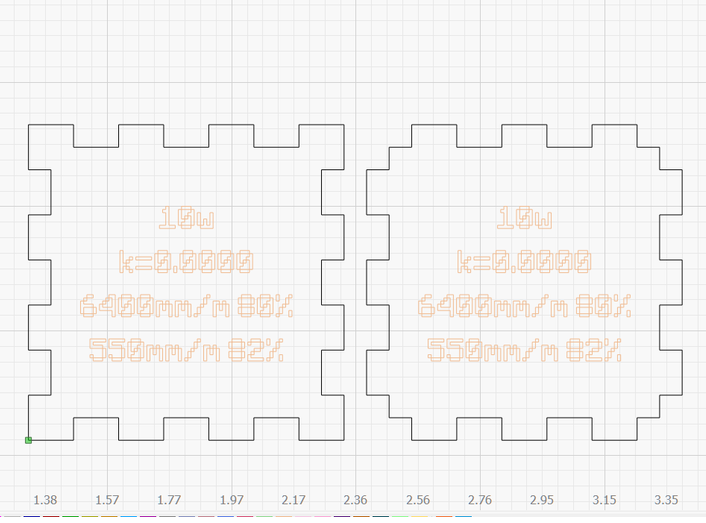
This is a single file designed to test a specific kerf setting. It evaluates both X and Y kerf and how they interact in different orientations, giving you a precise idea of your tolerances and highlighting any scaling issues.
If you need to find your baseline kerf first, download a standard kerf test gauge, then use this file to perfectly dial in that specific setting. Regardless of your setup, make sure to engrave your test settings directly onto the part so you know exactly what you printed and can refer back to it as needed.
I used a custom “Minecraftia” font (lol) and included it in the files just in case you have rendering issues or want to use it yourself. (For context, I run an Elegoo Phecda 20W / 10W).
How to test: Fit each side against the others and check for any skewing or binding. Everything should feel consistent in all orientations. Good luck getting to that point—it took me two separate 2-3 hour sessions to get my settings completely dialed in.
I originally made a grid and used a PNG of a Minecraft jukebox to create this, which eventually led to a fully working physical jukebox (to be posted later).
Lastly, Inkscape is the best design software for this kind of work. It will take a few hours to learn the basics (setting up grids, making unions, skewing designs), but it is absolutely worth it.



Reviews
There are no reviews yet.