


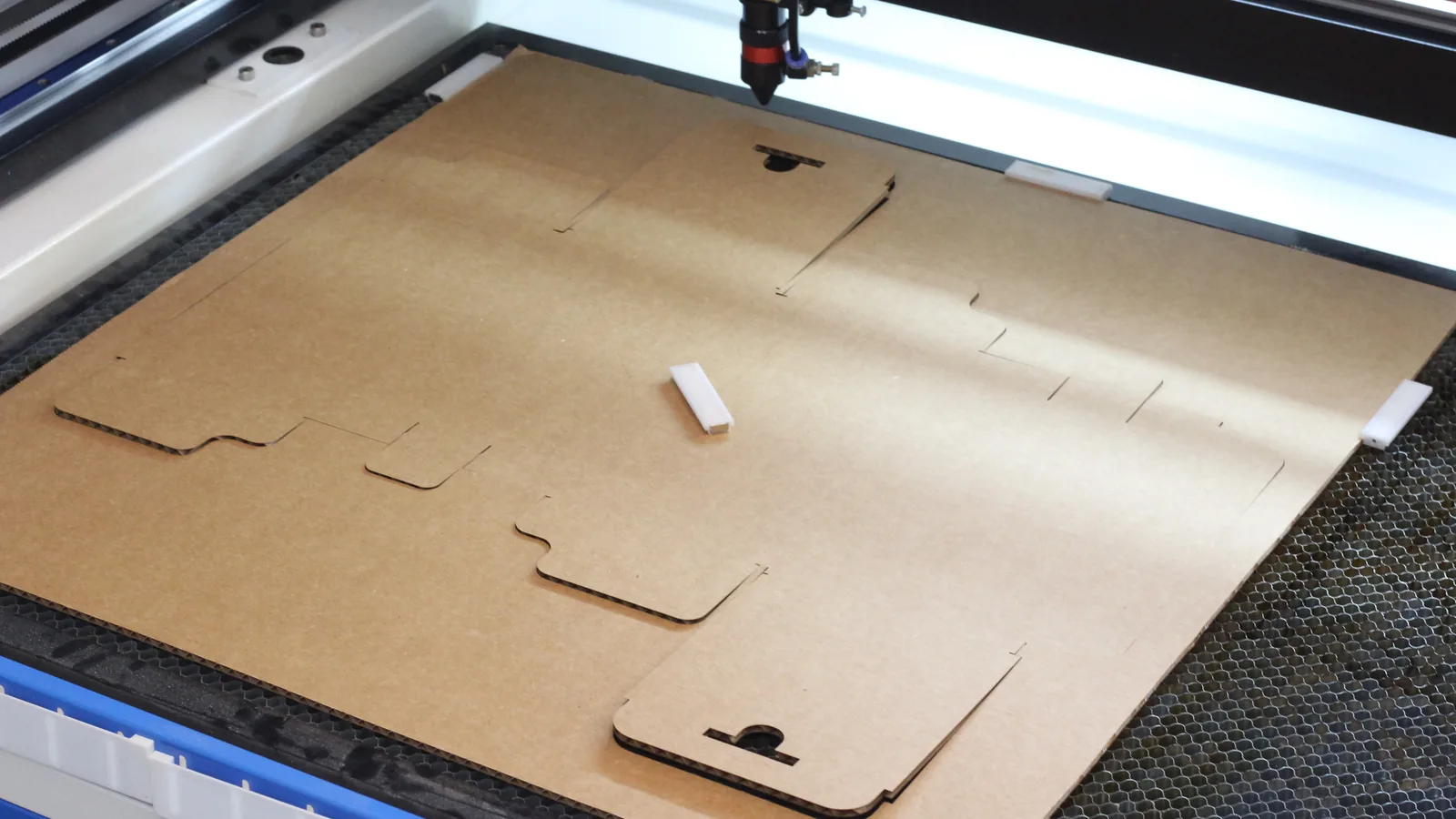
Cardboard boxes are one of the most useful things you can make on a laser cutter. They are great for packaging products you sell, organizing the shop, shipping gifts, or just keeping small parts in one place. The catch is getting a template that fits the box you actually need, in the cardboard you actually have.
So we built one. The Cutting Paths Cardboard Box Generator is a free tool that makes a ready-to-cut box template in any size. Enter your length, width, height, and cardboard thickness, then download an SVG or DXF for your laser. There is no account, no signup, and no paid upgrade hiding the useful features.
Why We Built It
Most box generators online either lock the good options behind a subscription or ignore material thickness. Thickness matters more than people expect with cardboard. A box drawn for 2 mm board will not fold the same way in 3.7 mm corrugated, because every fold eats a little of the material. Flaps end up too short to meet, slots end up too tight, and the lid will not close.
The generator is built from the parametric Fusion 360 box designs I made for the RadBench channel. Those boxes were cut and folded in real cardboard at two different thicknesses, and every panel, flap, and slot in the generator scales from material thickness the same way the originals do. When you change the thickness, the whole template adjusts with it.
Two Box Styles
Basic. A regular slotted box, the classic shipping box shape. Four panels, a glue flap, and four flaps on the top and bottom that meet in the middle. Turn off the top flaps and you have an open tray.
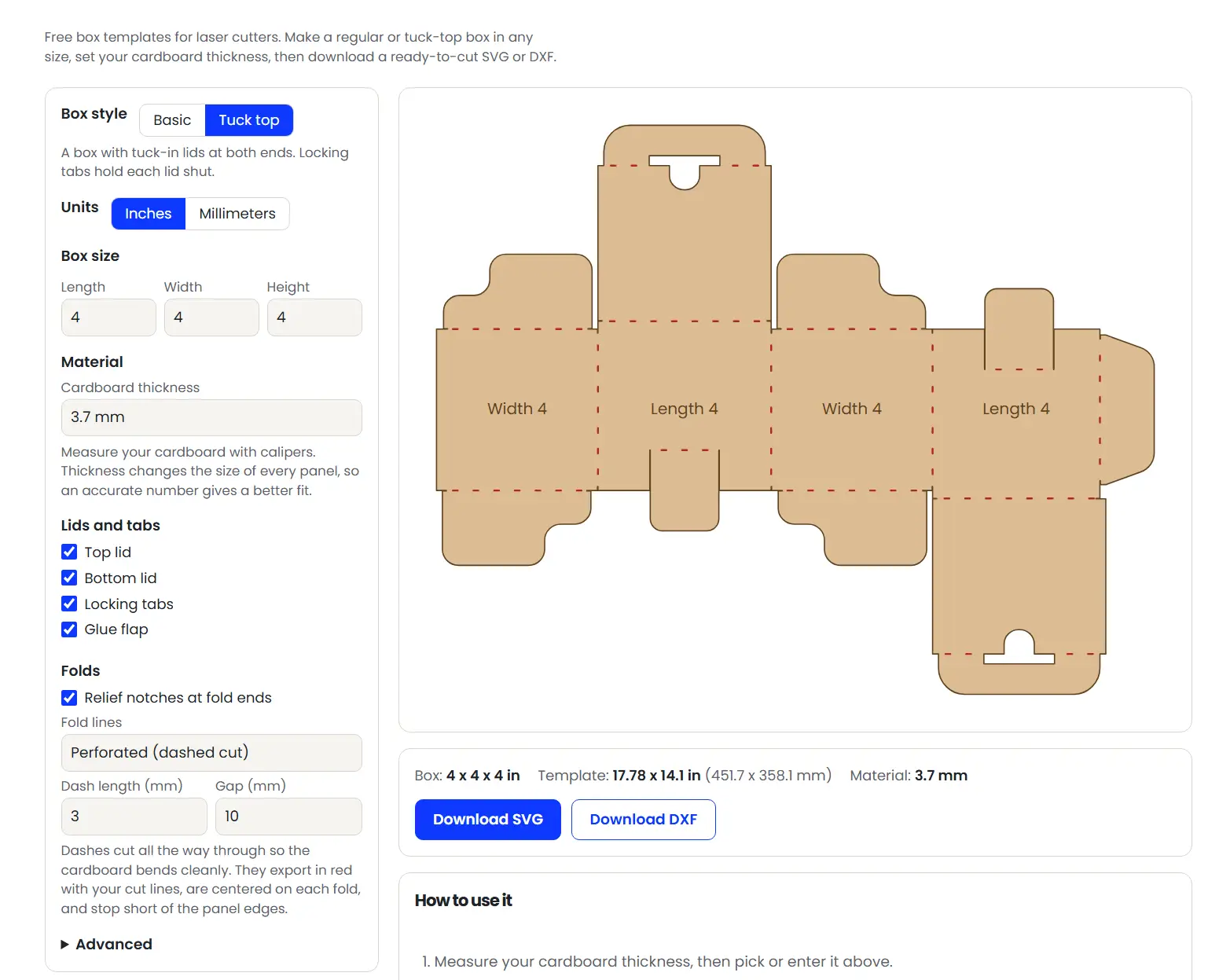
Tuck top. A retail style box with a tuck-in lid at each end. Dust flaps fold in first, then the lid tucks inside, and a locking tab pops through a slot in the lid to hold it shut. It looks great for product packaging, and you can turn the locking tabs or either lid off if you do not need them.
Getting the Fit Right
The most important number in the whole tool is cardboard thickness. The generator has presets for 2 mm and 3.7 mm board, plus a custom option. Take a minute to measure your sheet with calipers instead of trusting the label, since corrugated cardboard varies quite a bit between suppliers.
The preview updates as you type, and it shows the full template size next to it. If you add your laser bed size in the Advanced settings, the tool will tell you whether the template fits, or whether it fits if you rotate it.
Fold Options
Cardboard folds best when the laser gives it a little help, so there are a few ways to mark the folds:
- Relief notches. Tiny cuts at the ends of each fold line. They show you exactly where to fold without weakening the panel.
- Perforated fold lines. Short dashes that cut all the way through along each fold, so the board bends cleanly. The default is a 3 mm dash with a 10 mm gap, and you can change both. Dashes are centered on each fold and stop short of the panel edges so they never cut into a corner.
- Score lines. Solid fold lines on their own layer. Set that layer to a light pass in your laser software so it marks the fold without cutting through.
Everything Else You Can Adjust
- Units: inches or millimeters.
- Glue flap: on or off, with an automatic width. It will never be wider than the box width minus the cardboard thickness, so it always fits inside the box.
- Flap corner radius: round the flap corners as much or as little as you like.
- Downloads: SVG or DXF. Cut lines export in red and score lines in blue on a separate layer, so they drop straight onto separate layers in LightBurn and most other laser software.
Your last settings are remembered in your browser, so you can come back later and pick up where you left off.
How to Make Your First Box
- Measure your cardboard thickness and enter it.
- Pick Basic or Tuck top and enter the box size you want.
- Choose your fold style and check the preview.
- Download the SVG or DXF and import it into your laser software.
- Cut a small test box first. If the folds feel tight or loose, nudge the thickness setting and cut again.
- Fold along the notches or perforations, glue the side flap, and close it up.
A Few Tips for Cutting Cardboard
Cardboard cuts fast and clean, but it is also very flammable. Run air assist, keep your power as low as will still cut through, and never leave the laser running unattended. Keep the sheet as flat as you can with pins or weights, since warped corrugated board can drift out of focus and leave uncut spots.
Perforated fold dashes export in red along with your cut lines, so they cut on the same settings. If your cardboard tears along a fold, try a longer gap between dashes.
Try It and Show Us Your Boxes
The Cardboard Box Generator is free for everyone. If you make something with it, we would love to see it. And if you are looking for your next project, browse our free laser cutting files or check out the box designs shared by the Cutting Paths community.